
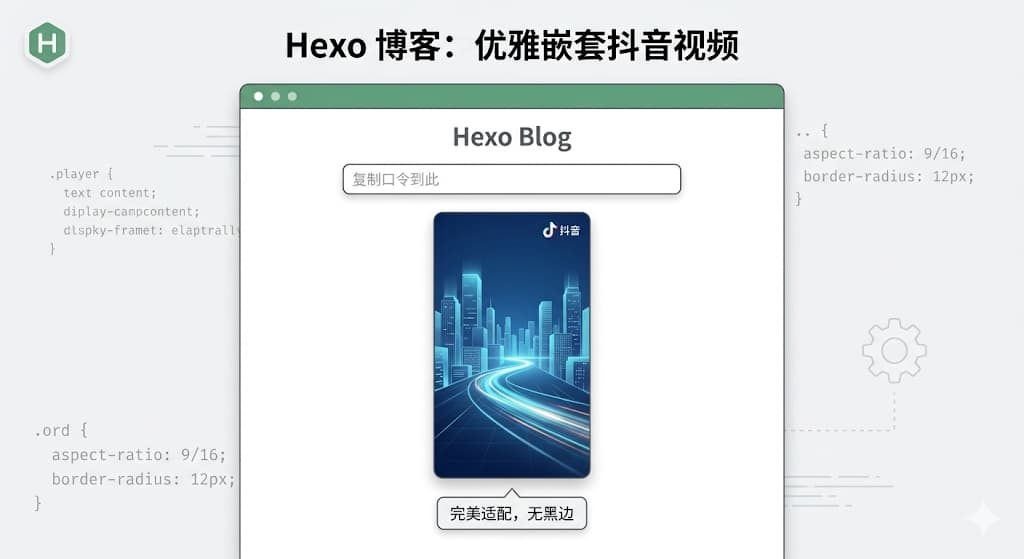

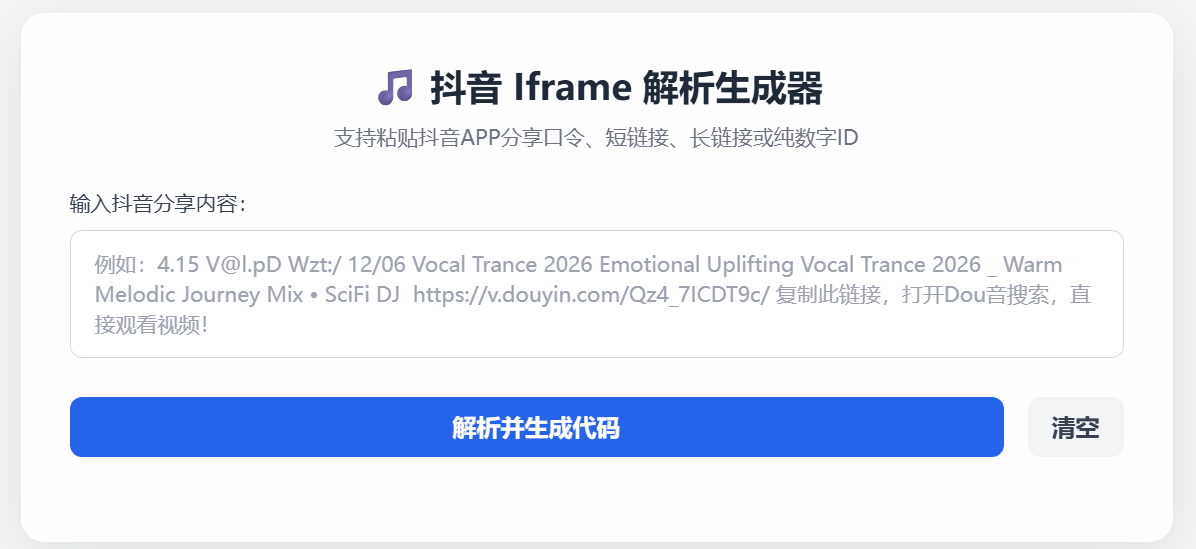
乱转的时候看到友人博客文章里说,怎么在博客里分享一个抖音视频。我就心痒痒想尝试一下。借助ai的能力~ 弄起来!
首先,抖音 App 里复制出来的都是包含 v.douyin.com 的短链接口令,前端直接用的话根本拿不到视频的真实 ID;其次,抖音的视频大部分是 9:16 的竖屏,如果直接丢进博客,会出现巨大的黑边和丑陋的滚动条。
先让ai写一个支持解析短链接口令、且能生成完美适配移动端竖屏 UI 的代码生成器。
踩坑第一步:纯前端的跨域之痛
一开始,我想得挺简单。抖音官方的 iframe 地址长这样:
https://open.douyin.com/player/video?vid=视频ID&autoplay=0
只要用正则表达式从输入框里把那 19 位的视频 ID 抠出来,替换进去不就行了?
对于长链接确实可以,但如果是类似 https://v.douyin.com/OZhNIu_NYDY/ 这种短链接,纯前端 JavaScript 就会撞上浏览器的 CORS(跨域安全限制) 这堵高墙。前端无法直接去请求并跟随这个短链接跳转来获取真实地址。
虽然试过用第三方的免费代理 API(比如 AllOrigins)来绕过,但免费的节点实在太抽风了,经常超时。
Python 后端来救场
既然前端干不了,那就交给后端。刚好服务器上有环境,继续用 Python 的 Flask 框架写了一个极简的本地 API 接口。
它的逻辑极其简单:接收前端传来的短链接 -> 伪装成浏览器发起请求 -> 获取 302 跳转后的真实长链接 -> 提取 19 位 ID -> 返回给前端。
查看代码
后端完整代码 (api.py):
Pythonimport requestsimport refrom flask import Flask, request, jsonifyfrom flask_cors import CORSapp = Flask(__name__)CORS(app) # 开启跨域,允许前端调用@app.route('/parse', methods=['GET'])def parse_douyin(): short_url = request.args.get('url') if not short_url: return jsonify({"status": "error", "msg": "缺少 url 参数"}), 400 try: headers = { "User-Agent": "Mozilla/5.0 (Windows NT 10.0; Win64; x64) AppleWebKit/537.36 Chrome/120.0.0.0 Safari/537.36" } # 允许重定向,直接拿到最终的真实链接 response = requests.head(short_url, headers=headers, allow_redirects=True, timeout=10) # 提取 19 位连续数字 ID vid_match = re.search(r'\d{19}', response.url) if vid_match: return jsonify({"status": "success", "vid": vid_match.group(0)}) else: return jsonify({"status": "error", "msg": "解析失败"}), 404 except Exception as e: return jsonify({"status": "error", "msg": str(e)}), 500if __name__ == '__main__': app.run(host='0.0.0.0', port=5000)以后如果想对外开放,直接丢进 1Panel 里跑个守护进程,再配个域名反代一下就稳如老狗了。
细节打磨:告别丑陋黑边的“黄金竖屏”样式
拿到了视频 ID,接下来的重头戏是让它在 Hugo 博客里“优雅”地展示出来。
我抛弃了传统的宽高固定写法,在 iframe 外面套了一层具有现代感 CSS 样式的 div 容器。核心魔法在于:
max-width: 360px; margin: 20px auto;:保证在 PC 端不会撑爆屏幕,且自动居中。
aspect-ratio: 9/16;:现代 CSS 属性,死死锁定竖屏的黄金比例。
scrolling=”no” 配合 overflow: hidden:彻底干掉抖音播放器自带的灰色滚动条。
前端核心渲染逻辑:
JavaScript
function renderIframe(videoId) {
    // 生成给博客直接用的优雅代码
    const iframeHTML = `<div style="max-width: 360px; margin: 20px auto; aspect-ratio: 9/16; border-radius: 12px; overflow: hidden; box-shadow: 0 4px 12px rgba(0,0,0,0.1);">
        <iframe src="https://open.douyin.com/player/video?vid=${videoId}&autoplay=0" style="width: 100%; height: 100%; border: none;" scrolling="no" allowfullscreen referrerpolicy="unsafe-url"></iframe>
    </div>`;

    // ... 展示给用户并提供一键复制 ...
}
查看代码
html全代码复制直接用
<!DOCTYPE html><html lang="zh-CN"><head> <meta charset="UTF-8"> <meta name="viewport" content="width=device-width, initial-scale=1.0"> <title>抖音视频 Iframe 解析生成工具</title> <script src="https://cdn.tailwindcss.com"></script> <style> body { background-color: #f3f4f6; font-family: system-ui, -apple-system, sans-serif; } .glass-card { background: rgba(255, 255, 255, 0.95); backdrop-filter: blur(10px); border-radius: 16px; box-shadow: 0 10px 40px rgba(0, 0, 0, 0.08); border: 1px solid rgba(255, 255, 255, 0.6); } </style></head><body class="min-h-screen flex items-center justify-center p-4"><div class="glass-card w-full max-w-3xl p-8"> <h1 class="text-2xl font-bold text-gray-800 mb-2 text-center">🎵 抖音 Iframe 解析生成器</h1> <p class="text-gray-500 text-sm text-center mb-6">支持粘贴抖音APP分享口令、短链接、长链接或纯数字ID</p> <div class="mb-5"> <label for="videoLink" class="block text-sm font-medium text-gray-700 mb-2">输入抖音分享内容:</label> <textarea id="videoLink" rows="3" placeholder="例如:看看【林边阿明的作品】... https://v.douyin.com/7OtAegjPv4U/ ..." class="w-full px-4 py-3 border border-gray-300 rounded-lg focus:ring-2 focus:ring-blue-500 focus:border-blue-500 outline-none transition-all text-sm resize-none"></textarea> </div> <div class="flex gap-4 mb-6"> <button id="parseBtn" onclick="parseAndGenerate()" class="flex-1 bg-blue-600 hover:bg-blue-700 text-white font-semibold py-2 px-4 rounded-lg transition-colors flex justify-center items-center"> 解析并生成代码 </button> <button onclick="clearAll()" class="bg-gray-100 hover:bg-gray-200 text-gray-700 font-semibold py-2 px-4 rounded-lg transition-colors"> 清空 </button> </div> <div id="resultArea" class="hidden space-y-6 border-t border-gray-100 pt-6"> <div> <div class="flex justify-between items-center mb-2"> <label class="block text-sm font-medium text-gray-700">HTML 嵌入代码(极限紧凑显进度版):</label> <button onclick="copyCode()" class="text-sm px-3 py-1 bg-gray-800 text-white rounded hover:bg-gray-700 transition-colors focus:outline-none">复制代码</button> </div> <textarea id="iframeCode" rows="4" class="w-full px-4 py-3 bg-gray-50 border border-gray-200 rounded-lg text-gray-600 font-mono text-sm resize-none focus:outline-none" readonly></textarea> </div> <div> <label class="block text-sm font-medium text-gray-700 mb-2">实时效果预览:</label> <div id="previewContainer" class="mx-auto w-full max-w-[300px] bg-black rounded-2xl overflow-hidden flex items-center justify-center border-4 border-gray-800 shadow-xl" style="aspect-ratio: 9/17.5;"> </div> </div> </div></div><script> async function parseAndGenerate() { const input = document.getElementById('videoLink').value.trim(); const btn = document.getElementById('parseBtn'); if (!input) { alert('老哥,你还没输入内容呢!'); return; } const idMatch = input.match(/\d{19}/); if (idMatch) { renderIframe(idMatch[0]); return; } const shortLinkMatch = input.match(/https?:\/\/v\.douyin\.com\/[a-zA-Z0-9_-]+\/?/); if (shortLinkMatch) { const shortUrl = shortLinkMatch[0]; const originalBtnText = btn.innerHTML; btn.innerHTML = `<svg class="animate-spin -ml-1 mr-3 h-5 w-5 text-white" xmlns="http://www.w3.org/2000/svg" fill="none" viewBox="0 0 24 24"><circle class="opacity-25" cx="12" cy="12" r="10" stroke="currentColor" stroke-width="4"></circle><path class="opacity-75" fill="currentColor" d="M4 12a8 8 0 018-8V0C5.373 0 0 5.373 0 12h4zm2 5.291A7.962 7.962 0 014 12H0c0 3.042 1.135 5.824 3 7.938l3-2.647z"></path></svg> 呼叫本地Python解析中...`; btn.disabled = true; try { const response = await fetch(`http://127.0.0.1:5000/parse?url=${encodeURIComponent(shortUrl)}`); const data = await response.json(); if (data.status === 'success') { renderIframe(data.vid); } else { alert('解析失败:' + data.msg); } } catch (error) { alert('请求后端失败!请确认终端里的 Python 脚本 (api.py) 是否正在运行?'); console.error('API请求错误:', error); } finally { btn.innerHTML = originalBtnText; btn.disabled = false; } return; } alert('识别失败:没有找到抖音的短链接,也没有找到 19 位的视频 ID。'); } function renderIframe(videoId) { // 核心修复:比例调整为 9/17.5,让容器纵向拉长一点点,露出底部的进度条 const iframeHTML = `<div style="max-width: 315px; margin: 20px auto; aspect-ratio: 9/17.5; border-radius: 12px; overflow: hidden; box-shadow: 0 4px 12px rgba(0,0,0,0.1); background-color: #000;"><iframe src="https://open.douyin.com/player/video?vid=${videoId}&autoplay=0" style="width: 100%; height: 100%; border: none; display: block; margin: 0; padding: 0;" scrolling="no" allowfullscreen referrerpolicy="unsafe-url"></iframe></div>`; document.getElementById('resultArea').classList.remove('hidden'); document.getElementById('iframeCode').value = iframeHTML; const previewContainer = document.getElementById('previewContainer'); previewContainer.innerHTML = `<iframe src="https://open.douyin.com/player/video?vid=${videoId}&autoplay=0" style="width: 100%; height: 100%; border: none; display: block; margin: 0; padding: 0;" frameborder="0" scrolling="no" allowfullscreen referrerpolicy="unsafe-url"></iframe>`; } function copyCode() { const codeArea = document.getElementById('iframeCode'); codeArea.select(); document.execCommand('copy'); const btn = event.target; const originalText = btn.innerText; btn.innerText = '已复制!'; btn.classList.add('bg-green-600', 'border-green-600'); setTimeout(() => { btn.innerText = originalText; btn.classList.remove('bg-green-600', 'border-green-600'); }, 2000); } function clearAll() { document.getElementById('videoLink').value = ''; document.getElementById('resultArea').classList.add('hidden'); document.getElementById('iframeCode').value = ''; document.getElementById('previewContainer').innerHTML = ''; }</script></body></html>小插曲:正则里的“漏网之鱼”
就在我以为一切完美,准备收工的时候,测试了一个带下划线的短链接口令,结果翻车了。
排查后发现,我的短链接提取正则写的是 /https?://v.douyin.com/[a-zA-Z0-9]+/。这个正则只认字母和数字,当遇到像 OZhNIu_NYDY 这样包含下划线的后缀时,直接被截断了!
随手将正则修改为 /https?://v.douyin.com/[a-zA-Z0-9_-]+/?/,完美修复。这提醒我们,处理用户输入时,永远不要盲目自信你的正则能覆盖所有变体(笑)。
总结
经过这番折腾,我用 Tailwind CSS 手搓了一个高颜值的工具页面,结合 Python Flask 后端,实现了从“复制抖音口令”到“生成博客绝美排版代码”的一键操作。
最终效果: 极速解析,毫秒级响应,生成的代码直接粘贴进 Markdown,文章瞬间高级感拉满。
折腾的乐趣就在于此:发现痛点 -> 遇到阻碍 -> 切换思路 -> 解决 Bug -> 最终收获一个完全契合自己审美的小工具。接下来,准备把这套小玩具正式部署到服务器上去了!